Seeing a Sprint cardio charge on your credit card that you do not recognize can be confusing, especially if you no longer use Sprint or believe you have already paid your phone bill. The charge may be connected to a previous wireless account, an automatic payment, a duplicate transaction, or a payment made using your card details.
Sprint’s wireless business is now part of T-Mobile. If you notice an unfamiliar Sprint-related transaction, check your billing history and contact T-Mobile or your credit card issuer to find out why it appeared. If the payment was unauthorized, you can take steps to dispute it.
What Is a Sprint Card Charge?
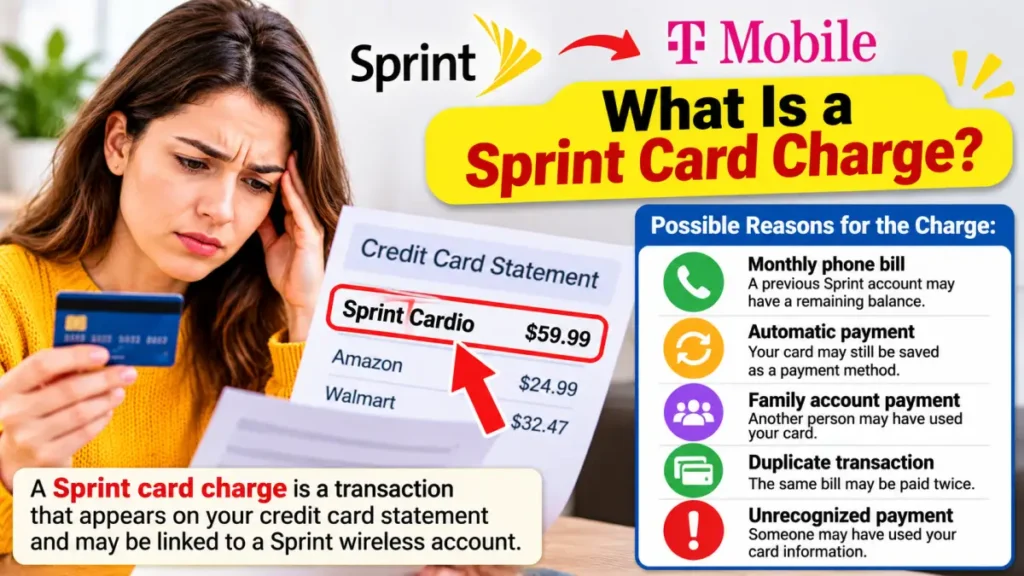
A Sprint card charge is a transaction that appears on a credit card statement and may be associated with a Sprint wireless account or a payment processed through its billing system.
Although Sprint is no longer operating as a separate major wireless carrier following its merger with T-Mobile, some customers may still see references to Sprint on older accounts, payment records, or billing transactions.
There are several possible explanations for the charge:
- Monthly phone bill: A previous Sprint account may have a remaining balance or recurring payment.
- Automatic payment: Your card may still be saved as a payment method on an account.
- Family account payment: Another person may have used your card to pay a wireless bill.
- Duplicate transaction: The same bill may have been paid using both a bank account and a credit card.
- Unrecognized payment: Someone may have used your card information without your permission.
The transaction description alone does not confirm whether a payment is legitimate. You should verify its date, amount, and connection to your account before deciding what to do. Keeping track of unfamiliar payments is an important part of managing your personal finances. Reviewing monthly expenses, checking account activity, and monitoring recurring payments can help you identify unexpected charges before they become bigger problems.
Why Did Sprint Charge My Card?
There are several reasons a Sprint-related payment might appear on your credit card statement, even if you did not recently make a payment yourself.
1. An old automatic payment is active
If you previously authorized recurring payments, your saved card information may still be associated with a wireless account. T-Mobile’s AutoPay terms explain that customers authorize recurring charges until they cancel that payment authorization.
2. Someone used your card
A family member or another person may have used your credit card to pay a phone bill. This situation can happen when several people share a wireless account or when a card was previously provided for account payments.
However, whether the payment was authorized depends on the circumstances and the permission you gave.
3. You paid twice
A duplicate charge can happen when a customer has more than one payment method connected to an account. For example, a monthly payment might be processed through a bank account while another payment is charged to a credit card.
Check whether both transactions represent the same billing period and amount. Two similar transactions do not always mean you were charged twice because one could be a pending transaction or a payment for a different balance.
4. A previous balance remains
Closing a wireless account does not necessarily remove every outstanding financial obligation. An unpaid service balance, device installment, or final bill may explain a later transaction.
How to Check the Charge
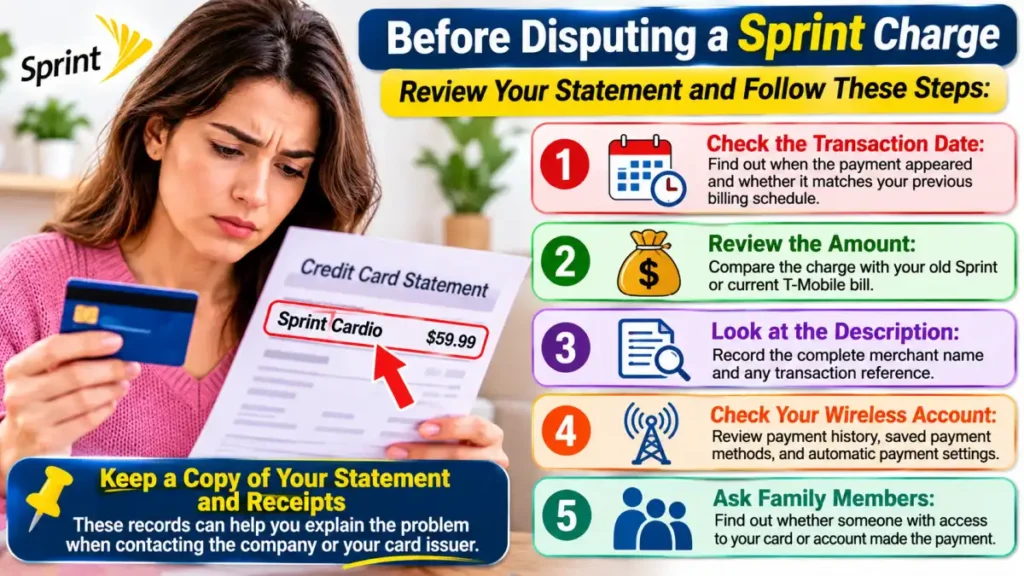
Before disputing the payment, review your credit card statement and gather the available billing information.
Follow these steps:
- Check the transaction date: Find out when the payment appeared and whether it matches your previous billing schedule.
- Review the amount: Compare the charge with your old Sprint or current T-Mobile bill.
- Look at the description: Record the complete merchant name and any transaction reference displayed by your card issuer.
- Check your wireless account: Review payment history, saved payment methods, and automatic payment settings.
- Ask family members: Find out whether someone with access to your card or account made the payment.
Keep a copy of the relevant statement and any receipts. These records can help you explain the problem when contacting the company or your card issuer. Keeping track of credit card payments, outstanding balances, and recurring bills is an important part of managing your financial obligations. A simple financial plan can help you organize payments, monitor expenses, and avoid overlooking unexpected charges.
How to Dispute Sprint Charges
If you confirm that a Sprint-related credit card payment was not authorized, or that you were charged twice for the same payment, you can contact the company and your credit card issuer.
Contact T-Mobile first
Explain that a Sprint-related transaction appears on your credit card statement and ask the billing department to identify it. Provide the transaction date, amount, and only the last four digits of your card when requested through an appropriate secure channel.
Ask the representative to explain whether the payment came from an old account, an automatic payment, or another billing arrangement.
Submit a payment dispute
T-Mobile provides a dedicated Sprint payment dispute form for customers who need to challenge a payment associated with a Sprint account. The form requests account information, payment details, and supporting documents.
Contact your credit card company
If the company cannot resolve the issue, contact the bank that issued your credit card. Explain why you believe the transaction is incorrect and ask how to submit a billing dispute.
Under the U.S. Fair Credit Billing Act, consumers generally have 60 days from the date the statement containing the disputed charge was sent to provide written notice of a billing error. Calling the card issuer promptly is also important, but do not rely on a phone call alone when written notice is required.
Keep copies of your dispute letter, statements, confirmation numbers, and any responses.
Unauthorized vs Duplicate Charges
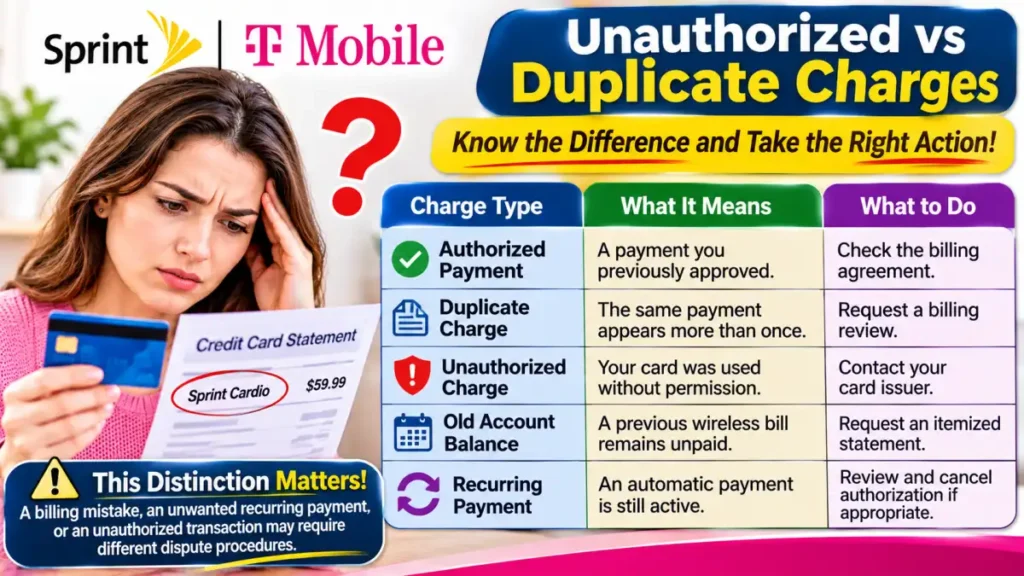
Not every unfamiliar Sprint transaction represents credit card fraud. Understanding the difference can help you choose the right way to resolve the problem.
| Charge type | What it means | What to do |
|---|---|---|
| Authorized payment | A payment you previously approved | Check the billing agreement |
| Duplicate charge | The same payment appears more than once | Request a billing review |
| Unauthorized charge | Your card was used without permission | Contact your card issuer |
| Old account balance | A previous wireless bill remains unpaid | Request an itemized statement |
| Recurring payment | An automatic payment is still active | Review and cancel authorization if appropriate |
This distinction matters because a billing mistake, an unwanted recurring payment, and an unauthorized transaction may require different dispute procedures.
How to Prevent Future Charges
After resolving the transaction, take a few precautions to reduce the chance of another unexpected payment.
- Remove outdated credit card details from accounts you no longer use.
- Review recurring payments on your credit card every month.
- Cancel unwanted AutoPay authorizations through the appropriate account or payment provider.
- Enable transaction alerts from your credit card issuer.
- Avoid sharing your card information or account credentials unnecessarily.
- Contact your bank immediately if you suspect your card details have been compromised.
If you no longer recognize the account or believe your card information has been stolen, ask your card issuer whether replacing the card is appropriate. If you live in Chicago and want to understand how much of your salary you actually take home after taxes and deductions, try our Home Salary Calculator to estimate your net pay for 2026.
Frequently Asked Questions
1. Why is Sprint charging my credit card?
A Sprint-related charge may come from a previous wireless account, an active recurring payment, an outstanding balance, or a payment made by another person. Contact T-Mobile to identify the transaction.
2. Can Sprint charge my card for someone else’s bill?
A payment may be processed if you previously authorized someone to use your card or gave permission for recurring billing. If you never authorized the payment, contact the card issuer and ask about your dispute rights. The exact legal outcome depends on the circumstances.
3. How do I stop automatic Sprint payments?
Check your T-Mobile account for saved payment methods and AutoPay settings. Cancel the payment authorization through the appropriate account settings or by contacting T-Mobile. You should also contact your card issuer if unwanted charges continue.
4. What should I do if Sprint charged my card twice?
Compare both transactions with your wireless billing history. If they represent the same payment, contact T-Mobile and request an investigation or refund. You can also dispute an unresolved duplicate credit card charge with your issuer.
5. Can I dispute an old Sprint charge on my credit card?
Yes, you can contact your credit card issuer about an old transaction. However, certain billing-error protections have deadlines. Under the Fair Credit Billing Act, written notice generally must be sent within 60 days after the statement containing the error was sent. Contact your issuer promptly to understand which protections apply.
Final Thoughts
An unfamiliar Sprint cardio charge on a credit card does not automatically mean fraud or an incorrect payment. It could be an old account balance, an automatic payment, a family member’s transaction, or a duplicate charge.
Start by checking your credit card statement and wireless payment history. Contact T-Mobile for an explanation, and if the transaction was unauthorized or remains unresolved, contact your credit card issuer promptly. Keeping accurate payment records can make the dispute process easier and help protect your finances.